Write it here, so the link is yours
Rich text, media, tables, diagrams and live data on one canvas — at an address you control, which is why anything after send is visible at all. Scope columns, clauses that renumber themselves, priced packages a reader picks between: the parts a client document needs, already blocks.
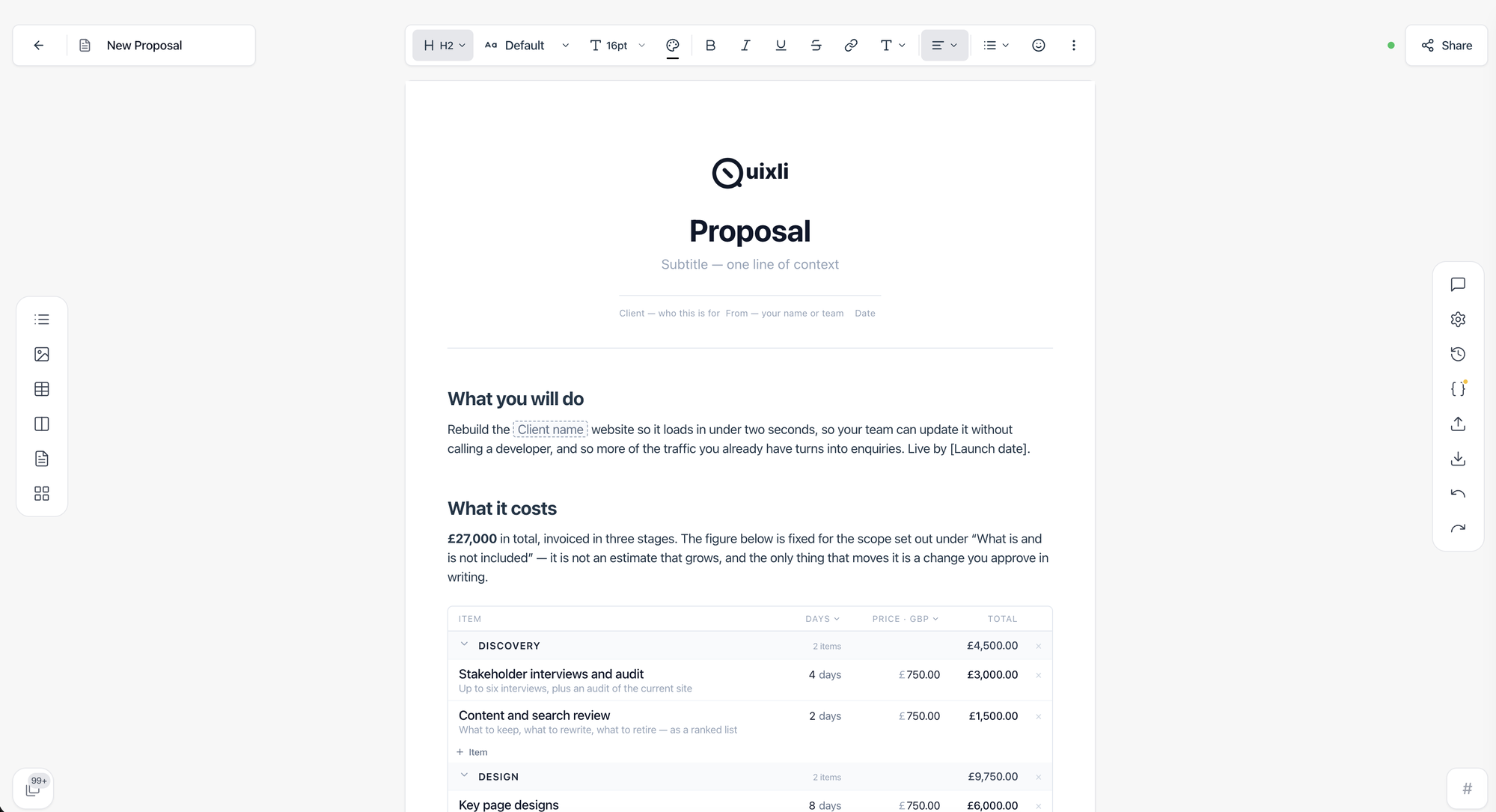
18 kinds of document, one editor
Make it look like yours
The same proposal, in the themes the editor ships with — and a theme of your own takes a minute: your colours on the cover, the headings and the tables.
A theme is a setting on the document, not a decision you make before you start writing. Change it the day before you send and the page changes with it.
Website redesign for Northwind Traders
Investment
Three phases, priced by the day, each with its own subtotal. Discovery comes first, so the design rests on what we find rather than what we assume.
Timeline
Discovery starts the week after signature and runs two weeks; design follows for four, build for six. Launch is a Tuesday, never a Friday.
Harbour
Against how you send it today
An attached PDF tells you nothing. A plain link tells you nothing. Both are the reason you are guessing.
| Quixli link | PDF attachment | Plain link | |
|---|---|---|---|
| Know it was opened | — | — | |
| Know when it was opened | — | — | |
| Time spent reading | — | — | |
| Repeat visits, one by one | — | — | |
| Reading right now | — | — | |
| Email alert & daily digest | — | — | |
| PDF report of the activity | — | — | |
| PIN, expiry & view limits | — | — | |
| Always the current version | — |
Compared against sending the same document as a file or as an untracked URL.
The number, or nothing
Any tool can put a figure on a dashboard. What separates them is what happens when the figure would be a guess. Here is what we do instead, in each case where we could get away with guessing.
How the numbers are counted
Six rules
Each one names a case where a figure would have been a guess, and what appears instead.
Where the numbers come from
Every figure on a report is computed from the reader’s own sessions at request time; nothing is remembered from a previous run.
Questions, answered
What is Quixli?
Quixli is an editor for the documents you send to other people — proposals, quotes, scopes of work, contracts, reports, system designs and technical documentation — where each document is shared as a link you control instead of an attachment, and the link tells you what happened after you sent it.
What kinds of documents can I create with Quixli?
Quixli has templates and a dedicated page for each kind of business document it is built for: proposals, quotes, scopes of work, contracts and terms, system design documents, technical documentation, product requirements, design docs and RFCs, reports, project overviews, roadmaps, onboarding and handover guides, meeting notes, runbooks, release notes, RFP responses, one-pagers and investor updates.
Is a Quixli document a web page or a file?
Both. You write in Quixli’s rich editor, the reader opens a web page at an address you control, and any document exports as a print-ready PDF or as Markdown whenever a file is required.
What blocks does the Quixli editor have besides text?
The Quixli editor includes pricing tables with per-section subtotals, priced packages a client can choose between, in-scope and out-of-scope columns, numbered clauses that renumber themselves, tables, Mermaid diagrams, Excalidraw drawings, charts, counters, timelines, task lists, toggles, tabs, code blocks, math, and embeds from Figma, YouTube, Loom, Vimeo, Google Docs and Google Sheets.
Can a client accept or choose an option inside a Quixli document?
Yes. A client can pick one of the priced packages directly on the Quixli page, and the choice is recorded with the document, so it is on record when you follow up.
Does Quixli show who opened my document?
Quixli shows when a document was opened, how long it stayed on screen and which sections were in front of the reader, and it grades every reader as identified, self-reported or anonymous instead of guessing an identity. It reports only what a screen can know.
Can a team work on a Quixli document together?
Yes. Quixli supports real-time collaboration on the same document, with version history kept automatically, so several people can write and review at once.
How does Quixli compare with PandaDoc, Qwilr or Proposify?
PandaDoc, Qwilr and Proposify are built around the sales proposal and its signature. Quixli is one editor for every kind of document you send — proposals, but also technical documentation, reports and system designs — with the same blocks and link-based sharing throughout. Side-by-side comparisons are on the Quixli vs pages.
Is Quixli free?
Quixli has a free plan with ten documents and no credit card required. Paid plans for more documents and larger teams are listed on the pricing page.